Google Ads
ROAS 5.10 according to the platform and the lowest cost per purchase, €15.31. When you add budget, you check whether the store’s MER goes up with it.
ROASThe cost of each channel next to store sales
Google says 50k, Meta 40k, and the store sold 60k. Every ad platform claims orders for itself, so together they show more than the store actually sold. DataOrganizer puts costs from Google Ads, Meta and TikTok next to store orders, without joining spreadsheets.
No credit cardConnect it yourself, no implementationData refreshed daily
How we calculate it
Each source tells you what it knows best. The store knows how much it really sold. Google Analytics 4 knows where the customer came from. The ad platform knows what the campaign cost.
Store
Revenue from orders with the statuses you count. Cancelled orders are excluded.
Google Analytics 4
The traffic source the customer came from: a Google, Meta or TikTok campaign, or an organic visit.
Ad platforms
Spend from Google Ads, Meta Ads and TikTok Ads, day by day, in one currency.
In DataOrganizer
Channel attribution is only as good as the data in GA4. When campaigns have correct UTM tags, traffic sources are clearer.
This is how it looks in the app
A sample store, week of 21-27 September 2026: spend from three platforms, store revenue and MER, and below it what each platform reports about itself.
+8.1%was €18,500.00
+5.3%was €57,000.00
−2.6%
was 3.08 · € of revenue per €1 of ads+4.1%
store orders: 800 (+3.9%)MER fell from 3.30 (Monday) to 2.67 (Saturday) at a similar daily cost (€2,700-3,000).
Meta delivers 58.0% of impressions, and 6.6% of people who click its ads buy. On Google it’s 7.1%.
↓ CTR 1,50% −0.02 pp
↓ click conversion
Google 7.1% · Meta 6.6% · TikTok 2.4%
According to its own data, TikTok has a ROAS of 1.80, more than 2 times lower than Google (5.10).
| Platform | Share of spend | Spend | Revenue per platform | ROAS | Purchases | Cost / purchase |
|---|---|---|---|---|---|---|
| Google Ads | 49.0%−0.2 pp | €9,800.00+7.7% | €50,000.00+8.7% | 5.10+0.9% | 640+6.7% | €15.31+1.0% |
| Meta Ads | 41.0%−1.7 pp | €8,200.00+3.8% | €40,000.00+1.3% | 4.88−2.4% | 520+1.0% | €15.77+2.8% |
| TikTok Ads | 10.0%+1.9 pp | €2,000.00+33.3% | €3,600.00+24.1% | 1.80−6.9% | 45+25.0% | €44.44+6.7% |
| Total · 3 platforms | €20,000.00+8.1% |
Platforms combined: €93,600. Store: €60,000. DataOrganizer only adds up spend.
Budget decisions
You get the data for the decision without joining costs and revenue in a spreadsheet. DataOrganizer changes nothing in your ad accounts: you make the decision, based on store numbers.
ROAS 5.10 according to the platform and the lowest cost per purchase, €15.31. When you add budget, you check whether the store’s MER goes up with it.
41% of the budget, and ROAS fell by 2.4%. Break the result down by campaign and see which ones drag it down.
Spend rose by 33%, and ROAS according to the platform is 1.80 at a cost per purchase of €44.44. Next to it you have the store’s MER day by day, so you see whether the extra budget changed anything.
A ready-made task: low ROAS and high cost, a list for a quick decision. Ask in plain language and get the answer on your own data.
Numbers from the mock-up above, on sample data.
How it works
You connect your store, Google Analytics 4 and ad platforms yourself: with an API key from the store or by signing in to your Google, Meta or TikTok account. Access is read-only.
Once a day it pulls new orders, traffic and campaign costs, joins them and recalculates the metrics. You export nothing and join nothing.
In ready-made dashboards, with the AI Assistant in the app or in your own AI chat via MCP.
Who it’s for
Today: you join Google Ads and Meta Ads costs with store revenue in a spreadsheet to work out ROAS, because platform conversions don’t match orders.
Today: you wonder whether to move budget between Google Ads, Meta Ads and TikTok Ads, and every platform claims it sells best.
Integrations
Can’t see your platform? Write to contact@dataorganizer.io.
Connect your store, Google Analytics 4 and ad platforms. For 14 days you get everything free, with no credit card.
14 daysfree,
no credit card
Product
What you can check in DataOrganizer
All features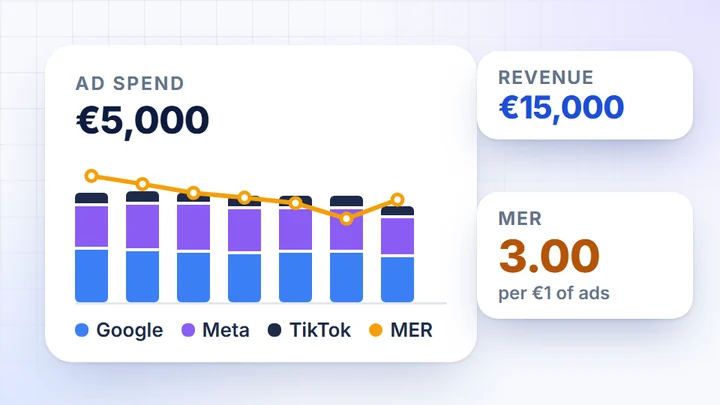 How much your ads sell
Campaign cost next to store sales
How much your ads sell
Campaign cost next to store sales
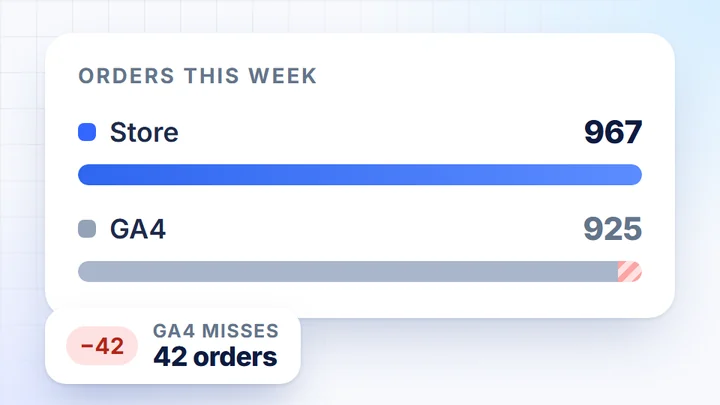 Sales from orders
Store orders next to GA4 data
Sales from orders
Store orders next to GA4 data
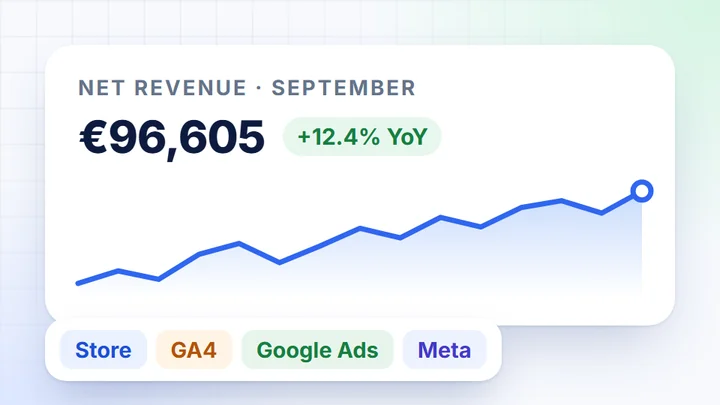 Sales report without Excel
Store, GA4 and ads in one report
Sales report without Excel
Store, GA4 and ads in one report
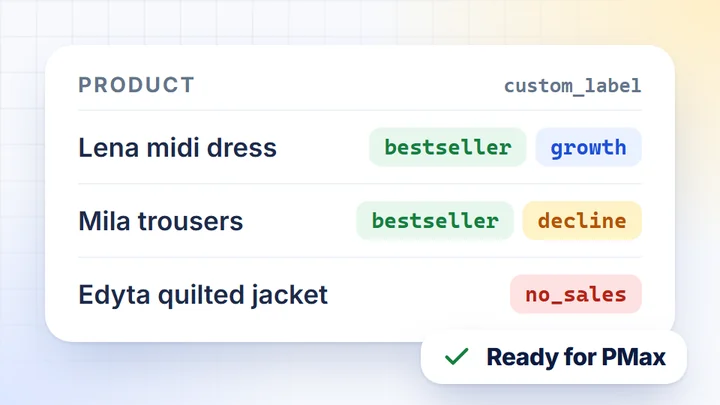 Product lists for campaigns
Bestsellers and segments for custom_label
Product lists for campaigns
Bestsellers and segments for custom_label
 LTV and returning customers
Customer value and repeat orders
All features
Dashboards, AI assistant, MCP and exports
LTV and returning customers
Customer value and repeat orders
All features
Dashboards, AI assistant, MCP and exports
What you can check in DataOrganizer
 How much your ads sellCampaign cost next to store sales
 Sales from ordersStore orders next to GA4 data
 Sales report without ExcelStore, GA4 and ads in one report
 Product lists for campaignsBestsellers and segments for custom_label
 LTV and returning customersCustomer value and repeat orders
Store integrations
More about the product