Ready materials
Weekly board report, in .pptx
Ask the AI Assistant for a report on last week and you get a presentation plus a data sheet. No more retyping numbers into slides.
ReportsSales reports and period comparisons without Excel
Store orders, Google Analytics 4, Google Ads, Meta and TikTok in one place. Every day DataOrganizer pulls the data, joins it and builds the report you currently put together by hand. The comparison with last year is there straight away, without building a new spreadsheet.
No credit cardConnect it yourself, no implementationData refreshed daily
VLOOKUP by order number20 minThis is how it looks in the app
A sample clothing store: September 2026 compared with September 2025. Sales, campaigns and customers in one view, calculated from store data and the ad platforms.
+12.40%5,812 orders
+11.73%50.0% of revenue
50.0% of revenue
+15.41%36.4% of revenue
+3.0%was €64.54
+7.6%was 7,374
−4.2%was €19,040.00
−5.0%was 11.27%
| Returning | New | |
|---|---|---|
| Revenue | €239,580.00+10.80% | €146,840.00+15.11% |
| Customers | 2,734+6.20% | 1,946+14.20% |
| Basket | €71.30+2.71% | €59.89−1.05% |
↓ 2.6 views per session
↓ 4.1% move on
| Value | Revenue | % rev. | % units |
|---|---|---|---|
| dresses | €98,540+18.2% | 25.5%+1.3 pp | 18.2%+0.9 pp |
| shirts | €74,190+9.4% | 19.2%−0.5 pp | 16.4%−0.2 pp |
| trousers | €61,830−3.1% | 16.0%−2.3 pp | 13.1%−1.6 pp |
Your monthly report in DataOrganizer
Orders and GA4 already joined, campaigns next to sales. The comparison below is a typical report for the boss: on the left, how it is made today; on the right, where it sits ready.
Ready materials
Ask the AI Assistant for a report on last week and you get a presentation plus a data sheet. No more retyping numbers into slides.
A spreadsheet when you need one
You can download any table as CSV. The DataOrganizer add-on for Google Sheets loads data into a sheet on demand or on a schedule. The report for the boss can stay in Looker Studio, it just calculates from the same data.
Season and goals
You set Black Week and Christmas goals using last year’s data, not memory. Enter the monthly goal once and every day DataOrganizer shows progress, pace and forecast, separately for each sales channel.
November 2025
December 2025
+29.56%was €165,400.00
+4.1%was €68.40
+22.3%was 3,362
At the current pace the month will close at approx. €411k, i.e. 98% of the revenue goal.
How it works
You connect your store, Google Analytics 4 and ad platforms yourself: with an API key from the store or by signing in to your Google or Meta account. Access is read-only.
Once a day it pulls new orders, traffic and campaign costs, joins them and recalculates the metrics. You export nothing and join nothing.
In ready-made dashboards, with the AI Assistant in the app or in your own AI chat via MCP.
Who it’s for
Today: every week you download GA4 and Google Ads reports into Excel, join them with the order export using VLOOKUP, and every month you assemble the report for the boss in Looker Studio.
Today: you write the sales plan in Excel and check progress by hand, and you set Black Week goals from memory or from last year’s store exports.
Integrations
Can’t see your platform? Write to contact@dataorganizer.io.
Create an account and connect your store and Google Analytics 4. For 14 days you get everything free, with no credit card: dashboards, the AI Assistant, Google Sheets export and MCP.
14 daysfree,
no credit card
Product
What you can check in DataOrganizer
All features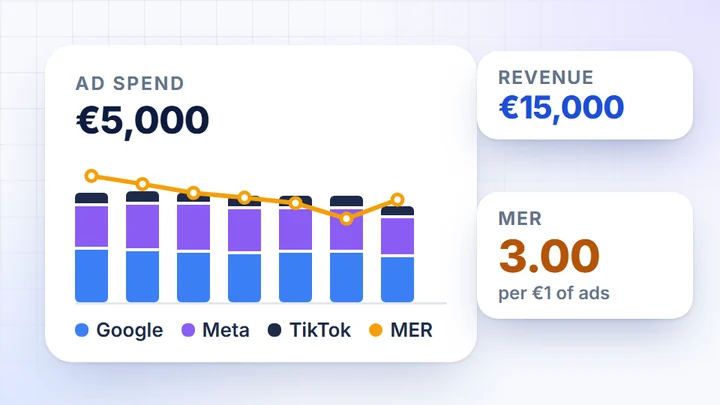 How much your ads sell
Campaign cost next to store sales
How much your ads sell
Campaign cost next to store sales
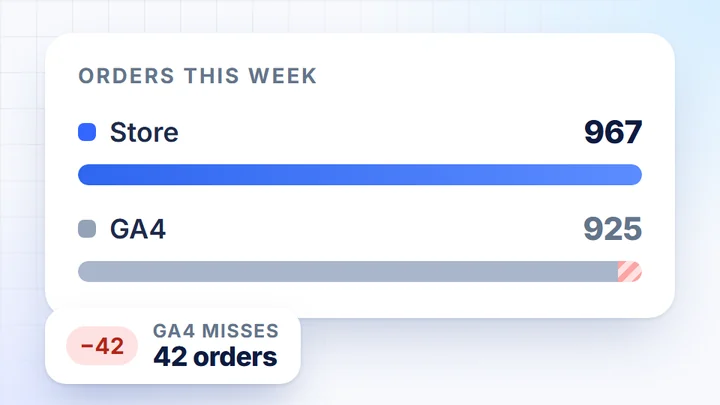 Sales from orders
Store orders next to GA4 data
Sales from orders
Store orders next to GA4 data
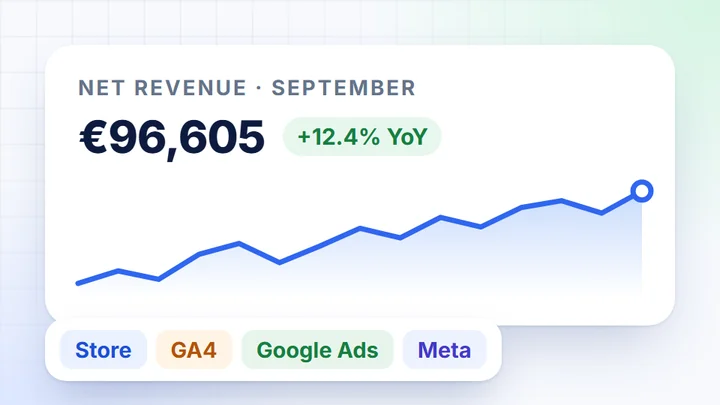 Sales report without Excel
Store, GA4 and ads in one report
Sales report without Excel
Store, GA4 and ads in one report
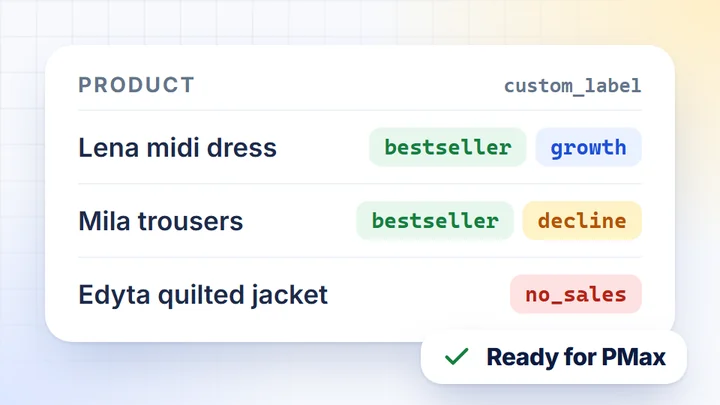 Product lists for campaigns
Bestsellers and segments for custom_label
Product lists for campaigns
Bestsellers and segments for custom_label
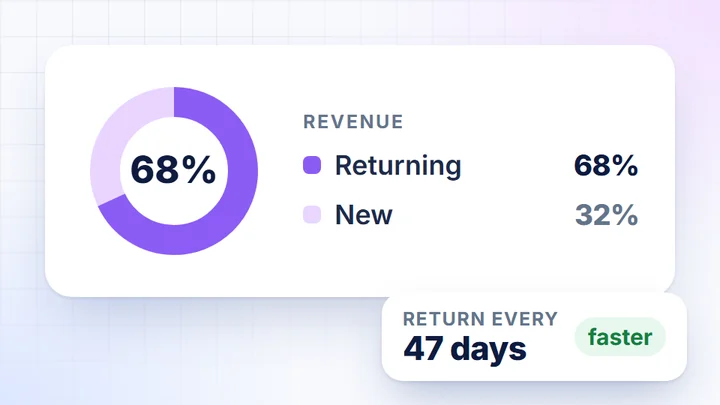 LTV and returning customers
Customer value and repeat orders
All features
Dashboards, AI assistant, MCP and exports
LTV and returning customers
Customer value and repeat orders
All features
Dashboards, AI assistant, MCP and exports
What you can check in DataOrganizer
 How much your ads sellCampaign cost next to store sales
 Sales from ordersStore orders next to GA4 data
 Sales report without ExcelStore, GA4 and ads in one report
 Product lists for campaignsBestsellers and segments for custom_label
 LTV and returning customersCustomer value and repeat orders
Store integrations
More about the product