Read
A short answer with the numbers and what they mean. Ask follow-up questions in the same chat.
DataOrganizer
DataOrganizerAsk about your sales, products, customers and ads. The Assistant uses your store data, GA4 and the campaigns connected in DataOrganizer, and answers with text, a table, a chart or a file.
14 days free, no cardAI Assistant during the trial
Which of my products get traffic but don’t sell?
Done in 38 s
In your store, 12 products had over 150 views this week and not a single sale. Your ads spent €1,240 on them, half of it on the top three.
| Product | Impressions | Ads | Sales |
|---|---|---|---|
| Iga coat | 412 | €236 | 0 units |
| Zoja blouse | 318 | €198 | 0 units |
| Ada scarf | 274 | €184 | 0 units |
| Ola cardigan | 203 | €0 | 0 units |
What boosted my sales most this week?
Done in 41 s
Your revenue rose 8% to €86,380. Four products drove half of the growth, and for three of them most sales came from Meta Ads campaigns.
| Product | Revenue | Change | From ads |
|---|---|---|---|
| Lena midi dress | €4,512 | +€1,240 | 62% |
| Ida wool coat | €3,980 | +€910 | 48% |
| Tymon jumper | €2,071 | +€530 | 35% |
| Ada scarf | €1,460 | +€320 | 22% |
Which of my regular customers have stopped buying?
Done in 35 s
130 of your customers who used to buy regularly haven’t come back in over 90 days. Together they spent €37,410 in your store.
| Group | Customers | Spent | No purchase for |
|---|---|---|---|
| 4+ orders | 31 | €18,420 | 96 days |
| 2-3 orders | 53 | €14,760 | 112 days |
| First purchase with a coupon | 46 | €4,230 | 134 days |
The Assistant can make mistakes, so check key numbers.4,820 credits
An icon next to the block title or the “Ask the Assistant” button next to a signal. The Assistant gets the same data as you, for the selected period, and suggests the first questions. Below is a sample store in September 2026.
Products
OverviewDetails+8.0%was €79,980
+6.0%was 1,461 units
+9.1%was €39,590
10-30% margin: €2,340, −38.4% vs the previous period. Products in the segment: 49.
7 units in stock at a pace of 16 units/week
The Assistant will get the same data as you, for 21-27 Sep 2026. It’s sent with your first question.
To start What’s behind the −38.4% change in the “Medium margin” segment? What does this mean? What should I look out for? Section: Segments · 21-27 Sep 2026Dead products: what wastes traffic
Done in 44 s
12 products had over 150 views this week and not a single sale. The top three get 41% of that traffic.
Overview2
What changed in my data?Trends and deviations from the last 7 daysProducts7
Candidates for a price increase Dead products: what wastes trafficMarketing4
Which campaigns should I switch off?Customers3
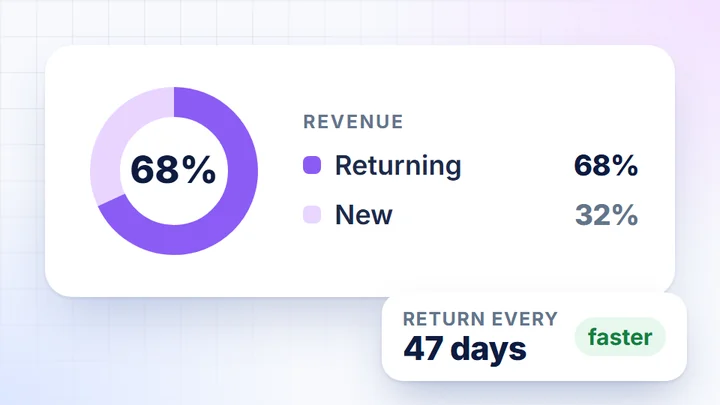
New vs returning: what they buyWebsite Traffic2
Which traffic sources convert?The Assistant can make mistakes, so check key numbers.4,820 credits
The Assistant combines data from all connected sources: orders from your store, traffic from GA4, campaigns and ad costs.
A short answer with the numbers and what they mean. Ask follow-up questions in the same chat.
A list of products, campaigns or days, sorted to fit the question. Copy it with one click.
A trend over time or a channel comparison, when the numbers are clearer on a chart.
CSV, Excel or PDF to download, when the result needs to go to your team, your agency or a spreadsheet.
Run a task in the Assistant or with Ctrl K. The result comes back in the chat, and you can keep asking about anything.
Candidates for a price increaseproducts worth testing at a higher price
Dead products: what wastes trafficviews with no sales
Hidden gems in your rangeproducts worth showing more
Products for the home pagea shortlist of products to feature
Price change simulationa different-price scenario on the product’s data
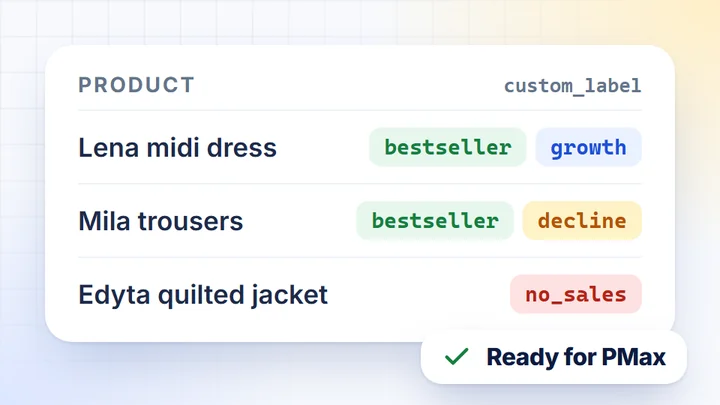
Custom labels for Merchant CenterABC segmentation and momentum, labels ready for your feed
Rising trends in your rangeproducts with growing sales
What changed in my data?trends and deviations from the last 7 days
Quick data diagnosticssource consistency and funnel completeness, in 60 seconds
Which campaigns should I switch off?campaigns with cost but no sales
Ads vs Analytics discrepancyplatform conversions next to GA4 data
Which discounts work?discount codes and the sales they bring
Messaging ideas for this weeknewsletter and ad topics from your sales data
New vs returning: what they buyfirst-purchase and repeat-purchase products
Products for an acquisition campaignwhat new customers start with
Products for a retention campaignwhat customers come back for
Where did the funnel change?the GA4 funnel stage with the biggest change
Which traffic sources convert?traffic sources by sales, not sessions
Add what you know about your store: plans, season, promotions and rules. The Assistant takes it into account in every answer.
Shared by the whole team: strategy, key categories, important dates.
Just yours: what you focus on and how answers should look.
Business calendar, strategy and priorities, AI answer rules.
Add context from a document or a web page, with no retyping.
The same data is available in two ways. The AI Assistant works in DataOrganizer, and via MCP you ask about it in Claude, ChatGPT and other assistants.
AI Assistant in DataOrganizerMCP in Claude, ChatGPT and others
Where you askin the app, next to the card, on desktop and mobilein a chat with the assistant you already use
Ready-made analyses18 ready-made tasksready-made AI prompts to copy
Resulttext, table, chart, CSV, Excel, PDFin whatever form your assistant gives
BillingAI credits: 10,000 a month for each data connectionno DataOrganizer AI credits, under your assistant’s plan
How to connect your data to Claude and ChatGPT is described on the MCP for stores page.
The Assistant opens full screen, with the same data and ready-made tasks.
Ctrl K and “Analyse the current card with AI” or any ready-made task.
The Assistant works in the app’s languages, including English, Polish, German and French.
The Assistant works only on your company’s data, in a database dedicated to it alone.
DataOrganizer does not use your data to train AI models.
Google Cloud in Belgium and Poland. We keep chat history for no more than 12 months.
The Assistant can make mistakes, so check key numbers in the result table or on the card.
From your company’s data in DataOrganizer: the store, GA4, Search Console, Merchant Center and campaigns you connect. It’s the same data the cards are calculated from.
No. Each company has a separate database, and the Assistant works only on your company’s data.
No. DataOrganizer does not use your data to train AI models.
The Assistant is included in your plan. Answers use AI credits: every month you get 10,000 credits for each data connection, and when you need more, you buy an extra pack. Details are in the pricing.
There are 18 ready-made tasks and we prepare them. Beyond those, you ask about anything in your own words and save standing information about your company in the context.
Yes. For 14 days you can test everything, including the AI Assistant, MCP and the Google Sheets add-on. No credit card needed.
Connect your store, ads and GA4 in a few minutes, and the Assistant answers using your data from the first sync.
Product
What you can check in DataOrganizer
All featuresWhat you can check in DataOrganizer
Store integrations
More about the product